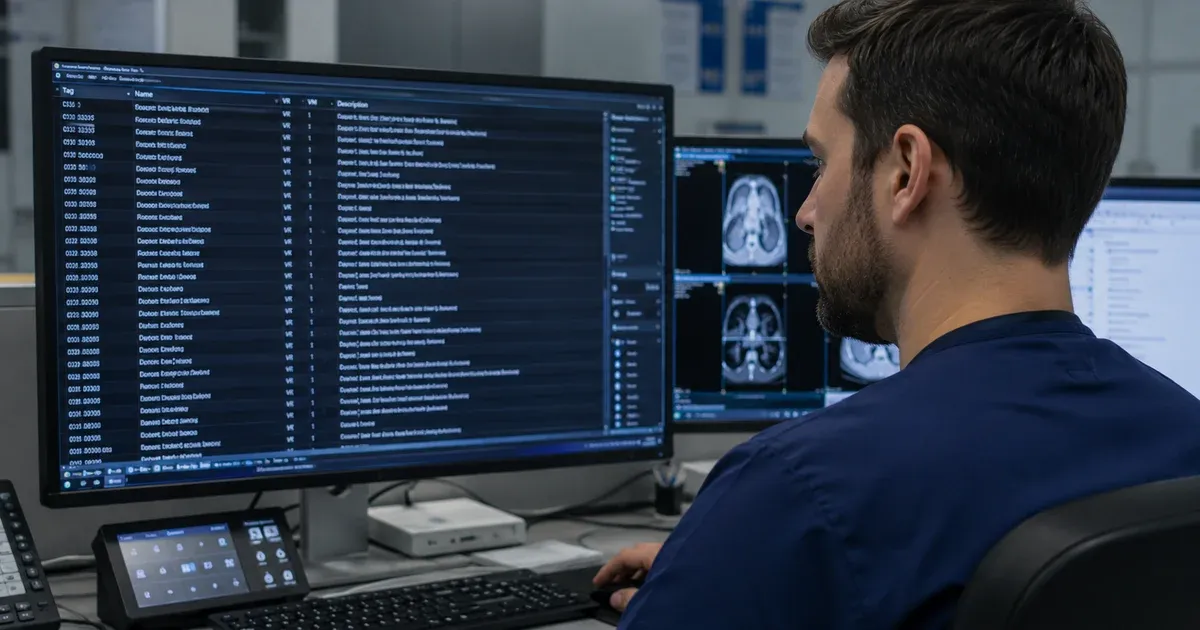
Introduction: Why DICOM Tag Lookup Is a Core Healthcare IT Skill
Every DICOM file produced by a CT scanner, MRI system, or ultrasound machine is a structured collection of tagged data elements. These tags encode everything a system needs to store, route, display, and process the image — patient demographics, study context, acquisition parameters, pixel encoding, and more. For healthcare IT professionals, being able to look up, interpret, and work with DICOM tags is not a luxury skill. It is a daily necessity.
Whether you are troubleshooting a PACS import failure, writing a de-identification script, building a DICOM worklist interface, or validating a migrated dataset, every task eventually comes back to specific tag IDs and their meanings. Knowing where to find the right tag, what its Value Representation means, and how it relates to other tags in the same group is the difference between a two-minute fix and a two-hour debugging session.
This guide covers the DICOM Data Dictionary in depth — how it is organized, how to perform effective tag lookups, what the VR types mean in practice, and how to use a fast, searchable online tool to answer tag questions instantly without leaving your browser. You can follow along with our DICOM Tag Browser and the DICOM Tag Viewer to test your lookups against real files.
The DICOM Data Dictionary: What It Is and How It Works
The DICOM Data Dictionary is published as Part 6 of the DICOM standard — a formally maintained catalog of every standard data element that can appear in a DICOM file or network message. Each entry specifies:
- Tag: A pair of four-digit hexadecimal numbers written as
(GGGG,EEEE)— group and element. For example,(0010,0010)is Patient Name. - Attribute Name: The official human-readable name for the element, such as “Patient Name” or “Pixel Spacing.”
- Value Representation (VR): The data type — defines how the value is encoded (string, integer, date, binary, sequence, etc.).
- Value Multiplicity (VM): How many values the element can hold. A VM of “1” means a single value; “1-n” means one or more; “2” means exactly two (as in Pixel Spacing, which carries row and column spacing separated by a backslash).
- Retirement Status: Whether the element is part of the current standard or has been retired from active use (though retired tags still appear in legacy equipment and archived files).
The current standard defines thousands of standard tags, organized by group number into logical domains. This number grows with each new DICOM supplement as the standard expands to cover new imaging modalities, therapies, and data types.
How to Perform an Effective DICOM Tag Lookup
Effective lookup means finding the right tag quickly, regardless of whether you start from the tag ID, the attribute name, or the VR type. Here are the most common lookup starting points and strategies for each:
Lookup by Tag ID
You are inspecting a DICOM file and see an unfamiliar tag — perhaps (0018,9089). To look it up:
- Type the group and element with or without the parentheses and comma:
0018,9089or00189089. - The dictionary returns: Diffusion Gradient Orientation, VR: FD (Floating Point Double), a tag used in MRI diffusion sequences to specify the gradient direction vector.
This immediately tells you why the tag exists, what kind of value it holds (a 3D vector of floating-point numbers), and which imaging context it belongs to — the (0018) Acquisition Parameters group, which covers MR-specific parameters.
Lookup by Attribute Name
You are writing a PACS migration script and need to map “Accession Number” to the destination system. Type the name and the result shows (0008,0050), VR: SH (Short String), telling you the field holds up to 16 characters — a fact that matters when the destination database column has a fixed width.
Searching by name also helps when you remember part of a name but not the exact wording. Searching “physician” returns tags like Referring Physician Name (0008,0090), Performing Physician's Name (0008,1048), Physician(s) Reading Study Identification Sequence (0008,1062), and others — giving you the full picture of where physician identity data lives across the dataset.
Lookup by VR Type
When writing a generic DICOM parser or de-identification routine, filtering by VR type is invaluable. Filtering for PN (Person Name) returns all tags that can contain human names — essential for building a complete list of fields to check during PHI removal. Filtering for DA (Date) returns all date attributes, which must be shifted or cleared in research data. Filtering for SQ (Sequence) returns all nested dataset containers — important for parsers that need to recurse into nested items.
Complete Reference: DICOM Tag Groups and Their Contents
Understanding the group structure helps you navigate the dictionary efficiently and reason about which tags are relevant for a given workflow.
Group 0002 — File Meta Information
Every DICOM Part 10 file begins with a 128-byte preamble followed by the four-character DICOM magic string DICM, then the File Meta Information group. This group contains the transfer syntax UID (0002,0010) — the single most important tag for determining how to parse the rest of the file. It also carries the SOP Class UID (0002,0002) and SOP Instance UID (0002,0003), which together identify what type of DICOM object this is and assign it a globally unique identity.
Group 0008 — General Study and Series Identification
This group is the backbone of DICOM metadata routing. It covers study dates and times, modality codes, institution name, station name, referring and attending physician names, SOP class and instance UIDs, series description, and acquisition context. When a PACS import fails or a study shows up in the wrong worklist, the culprit is almost always in group 0008.
Group 0010 — Patient Information
All patient-level identifiers live here: Patient Name (0010,0010), Patient ID (0010,0020), Patient Birth Date (0010,0030), Patient Sex (0010,0040), Patient Weight (0010,1030), and Patient Age (0010,1010). This group is the primary target for HIPAA Safe Harbor de-identification. One subtlety: Patient Name uses the PN VR with a caret-delimited format (Last^First^Middle^Prefix^Suffix), and how systems populate those components varies widely across vendors and regions.
Group 0018 — Acquisition Parameters
This is the largest and most modality-specific group, housing thousands of tags for CT, MR, US, XA, NM, and other modalities. CT exposure parameters, MR echo times and repetition times, ultrasound transducer frequencies, and PET reconstruction parameters all live here. For radiation dose compliance, the critical tags are in the sub-range 0018,9xxx — dose index metrics for CT such as CTDI volume and DLP are encoded in nested sequences within this group.
Group 0020 — Image Hierarchy and Relationships
Study Instance UID (0020,000D), Series Instance UID (0020,000E), and SOP Instance UID (0008,0018) form the three-level hierarchy that organizes DICOM objects in the DICOM information model. Image Position (Patient) (0020,0032) and Image Orientation (Patient) (0020,0037) provide the spatial geometry for multi-planar reconstruction. Frame of Reference UID (0020,0052) links images acquired in the same coordinate system.
Group 0028 — Image Pixel Information
Rows (0028,0010), Columns (0028,0011), Bits Allocated (0028,0100), Photometric Interpretation (0028,0004), and Pixel Spacing (0028,0030) define the image geometry. Rescale Intercept (0028,1052) and Rescale Slope (0028,1053) provide the linear transform to convert raw pixel values to Hounsfield Units or other physical units. Window Center (0028,1050) and Window Width (0028,1051) define the default display windowing for grayscale images.
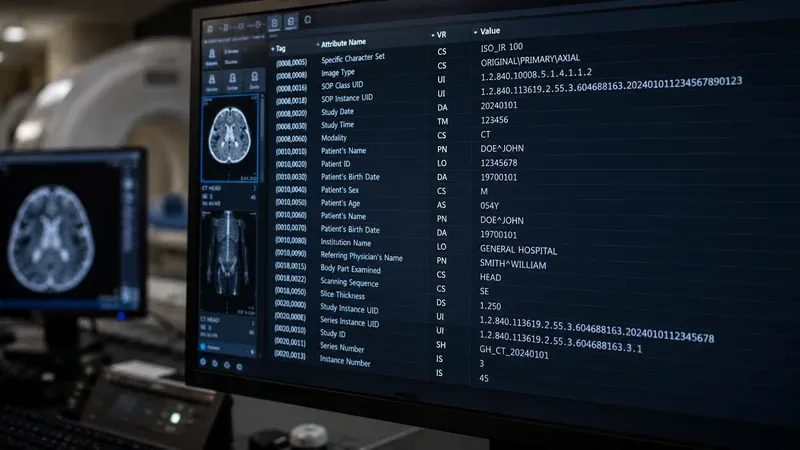
Value Representations in Detail: The 34 VR Types Explained
Mastering the 34 Value Representation types is the key to working with DICOM data programmatically. Here is a systematic reference covering each VR category:
String VRs
AE (Application Entity): Up to 16 characters identifying a DICOM application entity (e.g., a PACS archive or modality). Used in network protocol messages rather than file attributes.
CS (Code String): Up to 16 uppercase characters from a restricted vocabulary. Used for coded values like Modality, Patient Sex, and Photometric Interpretation. When a system sends an unexpected CS value, protocol violations and display errors often result.
LO (Long String): Up to 64 characters. General free-text attributes like Study Description, Protocol Name, Institution Name.
LT (Long Text): Up to 10,240 characters. Used for longer narrative strings, comments, and impression text when structured report VRs are not appropriate.
SH (Short String): Up to 16 characters. Accession Number, implementation version strings, and many coded identifiers.
ST (Short Text): Up to 1,024 characters. Address fields and medium-length narrative text.
UC (Unlimited Characters): Up to 232-2 characters. Introduced in DICOM 2011 for very long text values.
UI (Unique Identifier): DICOM UID — a dot-separated string of numeric “arcs.” Every SOP class, instance, frame of reference, and transfer syntax in DICOM has a UID. Correct UID generation (using the 2.25. prefix with a UUID, or a registered root) is essential to avoid collisions.
UR (Universal Resource Identifier): A URI or URL. Introduced for linking DICOM objects to external resources.
UT (Unlimited Text): Up to 232-2 characters. Similar to UC but for text with potential escape sequences.
Person Name VR
PN (Person Name): The most complex string VR — up to five components (Family^Given^Middle^Prefix^Suffix) and up to three groups (Alphabetic, Ideographic, Phonetic) separated by equals signs. Patient Name (0010,0010) and all physician name tags use PN.
Numeric String VRs
AS (Age String): A fixed four-character string in the form nnnD, nnnW, nnnM, or nnnY — three digits followed by a unit (Days, Weeks, Months, Years). Patient Age (0010,1010) uses AS; for example, 045Y means 45 years old.
DA (Date): Eight character YYYYMMDD. All DICOM dates — study, series, birth, content, overlay creation.
DT (DateTime): Up to 26 characters combining date and time with optional timezone offset — YYYYMMDDHHMMSS.FFFFFF&ZZZZ.
DS (Decimal String): String-encoded floating-point number, up to 16 characters per value. Pixel Spacing, Slice Thickness, and dose metrics use DS.
IS (Integer String): String-encoded integer from -231 to 231-1 as a decimal string. Series Number, Instance Number, Overlay Rows use IS.
TM (Time): Time in HHMMSS.FFFFFF format with optional fractional seconds.
Binary Numeric VRs
FL (Floating Point Single): IEEE 754 32-bit float. Used for some measurement tags.
FD (Floating Point Double): IEEE 754 64-bit double. Used for high-precision geometry values like Image Position (Patient) when greater precision is needed.
SL (Signed Long): 32-bit signed integer in binary encoding.
SS (Signed Short): 16-bit signed integer. Used for pixel data when negative values are needed (e.g., Hounsfield Unit pixels before rescale).
SV (Signed 64-bit Very Long): 64-bit signed integer, added in recent supplements for large counter values.
UL (Unsigned Long): 32-bit unsigned integer. File Meta Information Group Length and tag-length fields use UL.
US (Unsigned Short): 16-bit unsigned integer. The most common numeric VR — Rows, Columns, Bits Allocated, Samples per Pixel all use US.
UV (Unsigned 64-bit Very Long): 64-bit unsigned integer for extended range values.
Binary Data VRs
OB (Other Byte): Arbitrary byte sequence of undefined length. Used for overlays, lookup tables, and as the primary pixel data encoding for certain transfer syntaxes.
OD (Other Double): A sequence of 64-bit floating-point values stored as binary.
OF (Other Float): A sequence of 32-bit floating-point values stored as binary.
OL (Other Long): A sequence of 32-bit unsigned integers stored as binary.
OV (Other 64-bit Very Long): A sequence of 64-bit integers stored as binary.
OW (Other Word): A sequence of 16-bit words — the dominant VR for uncompressed pixel data (7FE0,0010) in 16-bit grayscale images.
UN (Unknown): Applied when the parser cannot determine the correct VR from the data dictionary (common with private tags or undeclared attribute types).
Structural VR
SQ (Sequence): A container of nested DICOM items. Each item is itself a complete DICOM dataset, which can contain any standard tags including nested sequences. Sequences are how DICOM handles hierarchical data — structured reports, dose records, presentation states, and hanging protocols all use deep SQ nesting. Correctly parsing SQ items requires recursive descent through item delimiters.
AT (Attribute Tag): A four-byte attribute tag value stored inline — used in tags that reference other tags, such as the Overlay Data attribute that references the corresponding overlay row/column count tags.
Tag Lookup Strategies for Common Healthcare IT Tasks
PHI De-Identification Inventory
HIPAA Safe Harbor requires removing or transforming 18 categories of identifiers. To build a complete de-identification tag list using this browser:
- Filter by VR = PN to find all person name fields.
- Filter by VR = DA to find all date fields that must be shifted or removed.
- Search for “ID” to surface Medical Record Number, Accession Number, Device Serial Number, and other identifier fields.
- Search for “address” and “phone” to locate contact information tags.
- Export the combined result set to CSV for use in your de-identification script or protocol documentation.
PACS Migration Validation
During a PACS migration, the most important tags to verify are those that affect study routing, hanging protocol matching, and report linkage:
(0008,0050)Accession Number — links to the RIS order for reporting and billing.(0020,000D)Study Instance UID — the primary key in most PACS databases.(0008,0060)Modality — drives routing rules and hanging protocols.(0008,1030)Study Description — used for display and analytics.(0010,0020)Patient ID — the MRN used to match studies to patients in the MPI.
Radiation Dose Monitoring
For dose index programs and regulatory compliance, the relevant CT dose tags are nested within sequences in group 0018:
(0018,9345)CTDIvol — CT dose index volume for the series.(0040,A073)Verifying Observer Sequence — for dose structured reports (RDSR).
Note that Dose Length Product (DLP) is not a simple image data-dictionary element — there is no standard (0018,9xxx) tag for it. DLP is recorded as a coded measurement concept inside the Radiation Dose Structured Report (RDSR), so to extract it you parse the RDSR content tree rather than reading a single image header tag.
Browse group 0018 in the tag browser and search “dose” to surface the complete set of dose-related attributes across all modality subtypes.
Using This Tag Browser Alongside Other DICOM Tools
The DICOM Tag Browser is most powerful when used in combination with other tools:
- With the DICOM Tag Viewer: Inspect a real DICOM file in the viewer and encounter an unfamiliar tag? Copy the tag ID and paste it into the browser’s search box for an instant definition and VR explanation — no need to open the DICOM standard PDF.
- With the DICOM De-Identifier: Before running de-identification, use the browser to verify that your PHI tag list is complete. Filter by PN and DA, export to CSV, and cross-reference against your institutional de-identification protocol.
- In scripting workflows: Keep the browser open in a separate tab while writing Python (
pydicom) or JavaScript (dicom-parser) code. Look up tag IDs and VR types without context-switching to a PDF viewer.
Conclusion
The DICOM Data Dictionary is one of the most essential reference documents in healthcare IT, and being able to look up tags instantly is a skill that pays dividends in every DICOM-related task you perform. Whether you are debugging a failed C-STORE operation, auditing de-identification results, mapping fields during a PACS migration, or building acquisition parameter dashboards, every answer ultimately starts with finding the right tag.
Our DICOM Tag Browser puts the complete standard tag dictionary — thousands of elements — at your fingertips with instant search, group and VR filtering, retired tag control, clipboard copy, and CSV export — all in the browser, with no uploads and no patient data involved. Bookmark it alongside the DICOM standard itself, and reach for it every time a tag question slows you down.