What Is the DICOM Standard?
DICOM (Digital Imaging and Communications in Medicine) is the universal standard for storing, transmitting, and displaying medical images. Maintained by the National Electrical Manufacturers Association (NEMA), the standard defines both a file format and a network protocol. Every CT scanner, MRI system, ultrasound unit, and PACS archive speaks DICOM, making it the lingua franca of radiology and medical imaging departments worldwide.
How DICOM Tags Work
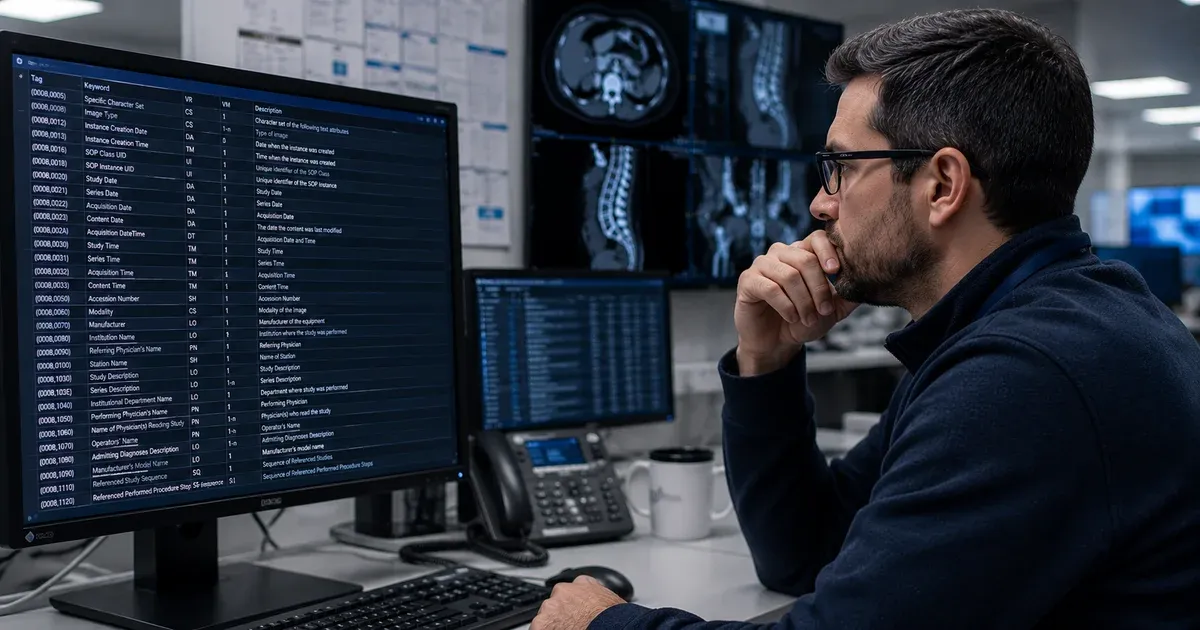
A DICOM file is essentially a collection of tags — structured key-value pairs identified by a group and element number (e.g., (0010,0010) for Patient Name). Each tag carries a Value Representation (VR) that defines its data type — short string, date, unique identifier, sequence, and so on. Tags are organized hierarchically: patient-level, study-level, series-level, and instance-level, reflecting the real-world relationships between patients, exams, and individual images.
Standard tags are defined in the DICOM Data Dictionary published in Part 6 of the standard. In addition, manufacturers may embed private tags using odd group numbers to store proprietary information such as reconstruction parameters or dose metrics.
Common Use Cases for a DICOM Tag Viewer
- PACS Migration Validation: When moving studies between archives, engineers compare tags before and after transfer to confirm that patient demographics, study descriptions, and UIDs survived the migration without corruption.
- De-Identification Auditing: Research teams strip PHI from imaging datasets before sharing. A tag viewer lets you verify that names, dates, and accession numbers have been properly removed or replaced with pseudonyms.
- Modality Worklist Troubleshooting: If a scanner is not pulling the correct patient or order information, inspecting the C-FIND response tags can reveal mismatches in Scheduled Procedure Step attributes.
- Vendor Integration Testing: When onboarding a new imaging device, comparing its output tags against your PACS expectations helps catch interoperability issues before go-live.
- Dose Report Analysis: Radiation dose structured reports (RDSR) encode dose metrics in nested DICOM sequences. A tag viewer that handles sequences lets you drill into the data without specialized dose-tracking software.
Side-by-Side Comparison Workflows
One of the most powerful features is the ability to load two DICOM files and compare their tags simultaneously. The tool highlights matching values, differing values, and tags that exist in one file but not the other. This is invaluable during system upgrades, data migrations, and cross-vendor interoperability testing where subtle tag differences can cause downstream failures in routing rules, hanging protocols, or display algorithms.
Understanding Value Representations (VR)
Every DICOM tag carries a Value Representation that tells parsers how to interpret the stored bytes. Common VRs include LO (Long String) for text up to 64 characters, DA (Date) formatted as YYYYMMDD, UI (Unique Identifier) for DICOM UIDs, and SQ (Sequence) for nested data structures. A robust tag viewer decodes each VR correctly — displaying dates in human-readable form, resolving UIDs where possible, and letting you expand sequences to inspect their child items. Misinterpreting VR types is a frequent source of integration errors, particularly when implicit VR transfer syntaxes omit the VR field and the parser must infer the type from the data dictionary.
Transfer Syntaxes and Byte Ordering
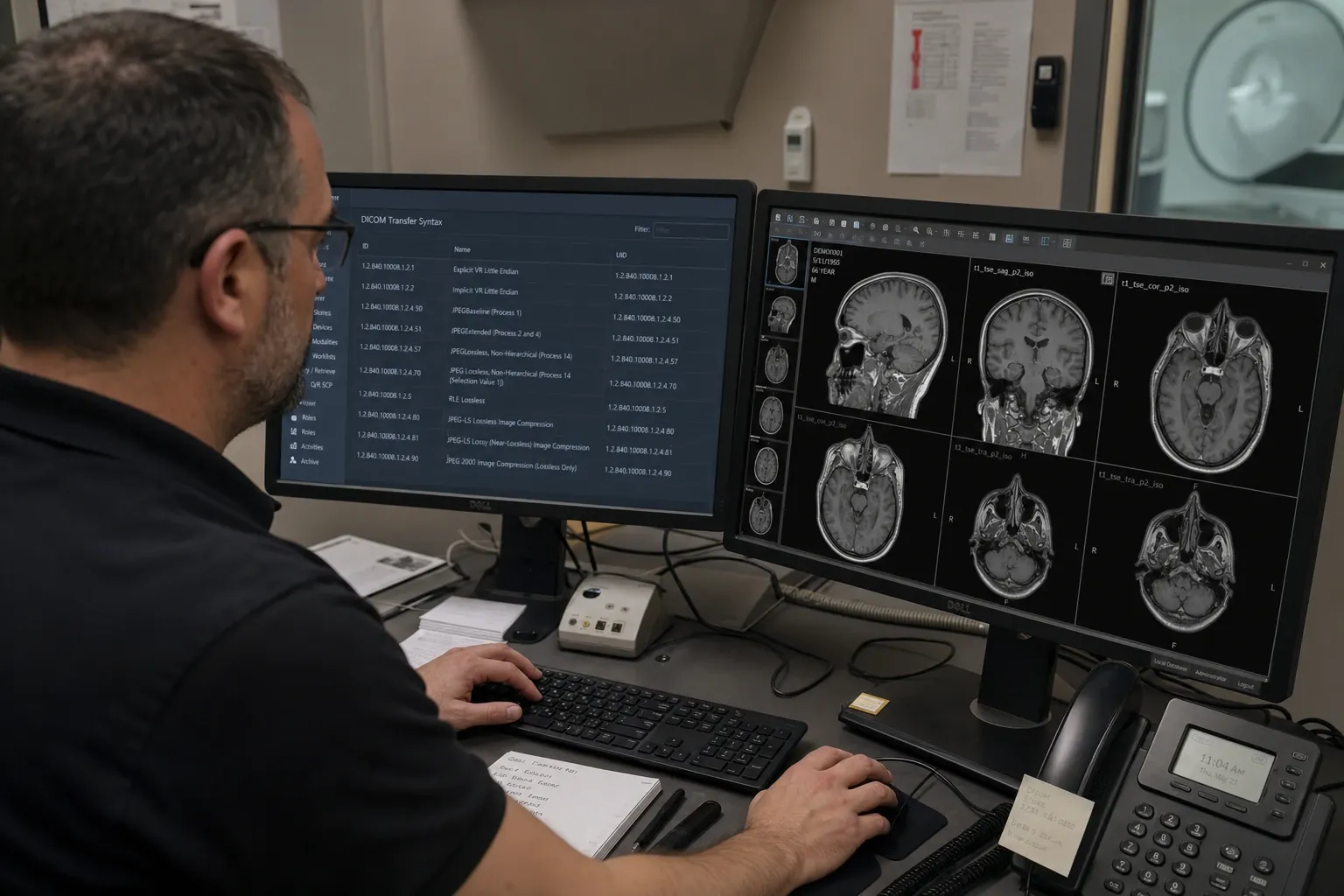
DICOM files declare a transfer syntax in the meta header that defines the byte ordering (little-endian or big-endian) and whether pixel data is compressed. The most common transfer syntax is Explicit VR Little Endian (1.2.840.10008.1.2.1), used by the vast majority of modern scanners. Older equipment may produce Implicit VR Little Endian files where the VR must be looked up from the data dictionary. Compressed syntaxes such as JPEG Baseline, JPEG 2000, and JPEG-LS reduce file sizes but require codec support for pixel rendering. A tag viewer focuses on metadata rather than pixel data, so it can parse tags from any transfer syntax even when the corresponding image codec is unavailable. Understanding which transfer syntax a file uses is essential when troubleshooting image display failures — the transfer syntax UID in tag (0002,0010) tells you exactly how the data is encoded.
Privacy and Compliance Considerations
Medical imaging files routinely contain PHI — patient names, dates of birth, medical record numbers, and even burned-in annotations on pixel data. Using a cloud-based viewer introduces transmission and storage risks. Our browser-based approach processes files entirely on your local device, so PHI never traverses the network. This local architecture can support your organization's HIPAA Security Rule controls for access and transmission without sending data to a third-party service, though whether a Business Associate Agreement is required depends on your specific deployment and workflow context.
In day-to-day operations, a DICOM tag viewer is often the fastest way to answer governance questions before a larger change goes live. During a PACS migration, for example, engineers can compare pre-migration and post-migration instances to confirm that accession numbers, frame of reference UIDs, and modality-specific attributes survived routing intact. During vendor onboarding, analysts can validate that new modalities populate the exact tags expected by hanging protocols, AI ingestion pipelines, and downstream archives. This turns the viewer into a practical quality-assurance checkpoint rather than just a reference tool.
It also helps teams manage private tag risk more systematically. Private tags are not inherently unsafe, but they deserve explicit review because they may contain proprietary workflow codes, device state, or even patient-linked identifiers that are invisible to generic export workflows. Building a habit of checking private groups before data sharing reduces surprises in research handoffs and creates stronger evidence that the imaging team reviewed both standard and vendor-specific metadata before releasing a study outside the originating institution.
Three Investigation Workflows
A PACS engineer tracing a missing patient ID after a migration loads a synthetic pre-migration file and its post-migration counterpart side by side. The comparison view immediately flags (0010,0020) Patient ID as differing or missing on one side, turning a vague "the record looks wrong" ticket into a specific tag and value to hand to the migration vendor.
A research coordinator auditing a de-identified export for leftover identifiers opens the "cleaned" synthetic file and filters to the private-tag preset. Because private tags (odd group numbers) are outside most standard de-identification dictionaries, this is where a vendor-specific field — say, a proprietary workflow code that happens to echo an accession number — is most likely to have survived untouched, and it is exactly what a tag-level review is for.
A PACS administrator debugging a modality worklist mismatch compares the Scheduled Procedure Step attributes a scanner actually received against what was expected — checking that a synthetic accession number and requested procedure code line up between the order and the study the modality produced, which is usually faster than paging through a vendor's service logs.
When Not to Use This Tool
This viewer inspects metadata; it does not render pixel data as a diagnostic or preview image — for that, use the DICOM Image Viewer. It also does not de-identify or modify anything — every tag you see is read-only here, and stripping PHI is a separate step with the DICOM De-identifier. It does not validate a file against a specific DICOM conformance statement or IHE profile, only against the general Part 6 data dictionary, so a tag can look structurally fine here and still fail a payer's or PACS vendor's specific conformance requirements. Note also that this tool is distinct from the separate DICOM Tag Browser on this site: the Browser is a static, no-upload dictionary lookup for looking up a tag definition in the abstract, while this viewer parses your actual uploaded file, including its private tags and real values — don't confuse the two when deciding which one you need.
DICOM Tag Groups at a Glance
Standard tags cluster into group ranges that roughly follow the information they carry, which is useful context when scanning an unfamiliar file:
| Group range | Typical content |
|---|
| (0008,xxxx) | Study/series identification, dates, modality |
| (0010,xxxx) | Patient demographics |
| (0018,xxxx) | Acquisition parameters (device settings, protocol) |
| (0020,xxxx) | Relationship data — UIDs linking patient, study, series, instance |
| (0028,xxxx) | Image presentation — rows, columns, bit depth, photometric interpretation |
| (7FE0,xxxx) | Pixel data itself |
Odd-numbered groups anywhere in that range are reserved for vendor-specific private tags rather than the standard dictionary.
Working Alongside Other DICOM Tools
Tag inspection is usually the first step in a larger workflow, not the last. After confirming what a file actually carries here, run it through the DICOM De-identifier to strip identifying tags, then use the DICOM Converter if the cleaned study needs to become a shareable JPEG or PNG. Inspecting first means every later step in the chain is working from full knowledge of what the file actually contains, rather than guessing.