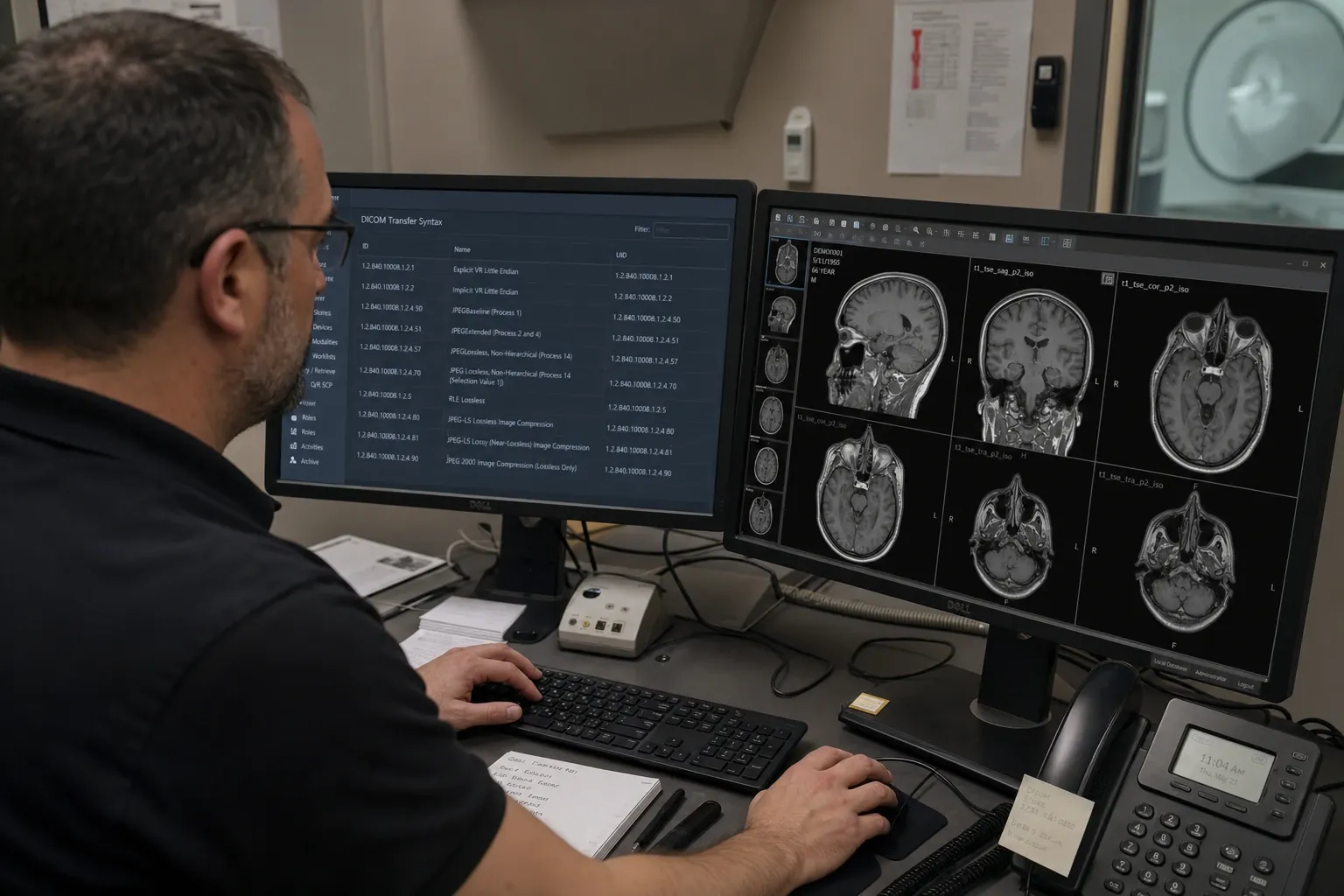
Introduction: Why Transfer Syntax Decides Whether an Image Opens or Fails
When a DICOM file refuses to render, loads with corrupted pixels, or behaves differently after a migration, the root cause is often not the patient metadata or even the pixel data itself. It is the transfer syntax. Every DICOM object declares how its data is encoded through the Transfer Syntax UID in the file meta header. That single value tells a parser whether the dataset uses little-endian or big-endian byte ordering, whether value representations are explicit or implicit, and whether the pixel data is uncompressed or encapsulated with JPEG, JPEG 2000, RLE, or another codec.
Transfer syntax is one of the most important technical concepts in imaging interoperability because it sits exactly at the boundary between standard compliance and practical usability. A receiving PACS may store the study successfully but fail to display it because its viewer lacks the right decoder. A migration script may preserve all metadata while accidentally transcoding compressed pixel data to a syntax the downstream archive does not expect. A browser viewer may read the header perfectly yet refuse to render an uncommon encapsulated frame sequence. If you do not know the transfer syntax, you are debugging blind.
This guide explains the main DICOM transfer syntaxes used in clinical practice, how they affect parsing and rendering, and why they matter in PACS migrations, vendor onboarding, AI pipelines, and browser-based viewing. You can inspect Transfer Syntax UID values in our DICOM Tag Viewer, look up related attribute definitions in the DICOM Tag Browser, and test rendered output in the DICOM Image Viewer.
What a Transfer Syntax Actually Defines
A transfer syntax is a formal agreement about how a DICOM dataset is serialized. At minimum, it defines the byte ordering of multi-byte values and whether the Value Representation is explicitly written in the stream or must be inferred from the data dictionary. For pixel data it can also define encapsulation and compression. The corresponding UID is stored in (0002,0010) in the file meta information and is the first technical clue you should inspect when dealing with a compatibility issue.
It is useful to think of the transfer syntax as the “wire format” or “disk format” for the object. Two DICOM files may represent the same CT slice with the same Study Instance UID and the same clinical meaning, yet their binary encoding can be completely different. One may be Explicit VR Little Endian with uncompressed pixels; the other may be JPEG 2000 Lossless. The semantic content is the same, but the decoding requirements differ dramatically.
That is why transfer syntax matters to both engineers and clinicians. Clinicians care because a study that does not decode is effectively unreadable. Engineers care because transfer syntax is often the hidden cause of display failures, import errors, and unnecessary storage expansion.
Implicit VR Little Endian
Implicit VR Little Endian with UID 1.2.840.10008.1.2 is the baseline transfer syntax that every conformant DICOM implementation must understand. “Little Endian” means the least significant byte is stored first for multi-byte numbers. “Implicit VR” means the Value Representation is not written into the stream for most elements. Instead, the parser must consult the DICOM data dictionary to determine whether a tag should be interpreted as PN, UI, DA, SQ, and so on.
Implicit VR is historically important because it maximized interoperability in older implementations. The downside is that parsing is slightly more fragile: if the dictionary is incomplete or a private element is encountered, the parser has less direct guidance than in an explicit-VR dataset. It also makes low-level hex inspection harder because the VR letters are not visible next to the tag.
In modern practice, Implicit VR Little Endian still appears in legacy equipment, interface engines, and normalized archives. It is usually well supported, but migration teams should still verify it explicitly because a poorly written transcoding pipeline can alter sequence lengths or private-tag handling when moving between implicit and explicit forms.
Explicit VR Little Endian
Explicit VR Little Endian with UID 1.2.840.10008.1.2.1 is the most common uncompressed syntax in contemporary systems. Like the implicit variant, it uses little-endian ordering, but here the Value Representation is stored directly in the stream for each element. That makes parsing easier, debugging friendlier, and hex-level inspection more transparent.
For metadata inspection, explicit VR has practical advantages. If a PACS engineer opens the file in a binary viewer or parser log, the tag values are easier to interpret because the VR letters appear inline. Sequence handling is also generally clearer, and many developers prefer explicit VR for synthetic test files and integration validation because it reduces ambiguity.
Most browser-based and desktop viewers handle this syntax extremely well. If an image fails to open in Explicit VR Little Endian, the problem is often not the syntax itself but malformed encapsulation elsewhere, broken pixel attributes, or corrupt file structure. That makes this syntax a useful control case in troubleshooting.
Explicit VR Big Endian
Explicit VR Big Endian with UID 1.2.840.10008.1.2.2 is a historical syntax that has been retired from mainstream use, but you may still encounter it in older archives or specialized conversion workflows. In big-endian encoding, the most significant byte comes first. That reversal affects every multi-byte numeric field and is enough to break naive parsers that silently assume little-endian ordering.
Modern systems vary in how well they support Big Endian. Many can read it but will transcode to Little Endian on import. Some browser tools do not render it directly even when they can inspect metadata. For PACS migration teams, its main importance is detection rather than long-term preservation. If a source archive contains Big Endian objects, they should be identified early and included in validation samples because they often reveal hidden codec or parser assumptions in downstream tooling.
In other words, Big Endian is no longer common, but it remains a classic edge case worth testing whenever a migration plan claims to support “all DICOM.”
Encapsulated Compression: JPEG Baseline and JPEG Lossless
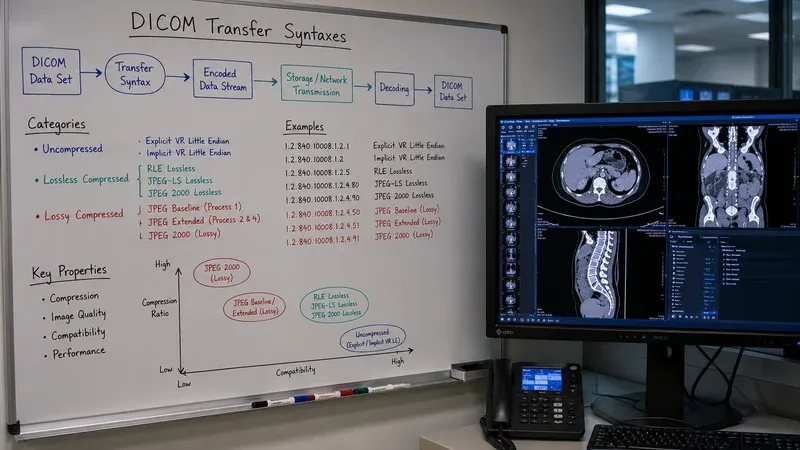
Several transfer syntaxes use encapsulation, meaning the pixel data is wrapped as fragments rather than stored as a raw contiguous array. The metadata remains parseable using the normal DICOM element structure, but the pixel payload must be handed to a codec. JPEG Baseline is common in workflows where lossy compression is acceptable, while JPEG Lossless preserves exact pixel values for use cases that require bit-perfect reconstruction.
Encapsulation matters because metadata parsing and image rendering diverge at this point. A tag viewer can usually inspect the file even if the environment lacks the image codec. An image viewer, by contrast, must successfully decode the compressed frames. That is why you may sometimes be able to read the Transfer Syntax UID and all header attributes while the image itself refuses to display.
For clinical operations, the distinction between lossy and lossless compression is more than technical. Lossy compression affects downstream QA, AI reproducibility, and sometimes diagnostic workflows depending on institutional policy. When reviewing migrations or vendor exports, teams should confirm not only that the study opens but whether the transfer syntax changed from lossless to lossy or vice versa along the way.
JPEG 2000: Powerful, Efficient, and Frequently Troublesome
JPEG 2000 transfer syntaxes, especially Lossless 1.2.840.10008.1.2.4.90 and Lossy 1.2.840.10008.1.2.4.91, are widely used in enterprise archives because they provide excellent compression efficiency and support for higher bit depths. They are particularly common in CT, MR, digital pathology, and large archive strategies where storage footprint matters.
JPEG 2000 is also one of the most common sources of compatibility complaints. Some viewers decode it natively, some require external libraries, and some support only limited variants. Browser support is especially inconsistent. A file may be perfectly valid DICOM and fully importable into an archive, yet fail in a lightweight viewer because the runtime environment lacks a decoder for that exact JPEG 2000 profile.
That makes JPEG 2000 a mandatory test case in any migration or viewer evaluation. If a vendor says it supports DICOM broadly, ask specifically about JPEG 2000 lossless, multi-frame encapsulation, and 16-bit grayscale behavior. Generic support claims are often too vague to be useful.
RLE Lossless and Other Less Common Syntaxes
RLE Lossless with UID 1.2.840.10008.1.2.5 is another encapsulated syntax that appears in some modalities and archive conversions. It is simpler in concept than JPEG-family codecs because it uses run-length encoding, but implementation quality still varies. Some tools support it well for monochrome images but stumble on color or multi-sample objects.
Other syntaxes such as JPEG-LS or MPEG-based video objects may appear in specialized contexts. The core lesson is not to memorize every UID from memory, but to adopt a habit: identify the syntax first, then evaluate whether your parsing, rendering, and archival tools genuinely support it. The DICOM Tag Browser can help you locate related encoding attributes, while the tag viewer lets you inspect the exact syntax present in a real file.
Why Transfer Syntax Breaks PACS Migrations
PACS migrations often fail not because studies disappear, but because the transferred objects are not operationally equivalent. A migration engine may transcode from JPEG 2000 Lossless to Explicit VR Little Endian, massively increasing storage size. It may convert Big Endian objects inconsistently. It may preserve metadata but change the transfer syntax of a subset of multi-frame objects in a way the destination viewer handles poorly. These issues are easy to miss unless validation explicitly tracks Transfer Syntax UID before and after migration.
A good migration checklist therefore includes syntax sampling by modality and by vendor, not just by date or accession number. Compare source and destination headers, confirm whether transcoding occurred, and test representative studies in the actual destination viewer stack. It is not enough that the archive accepted the file. The study must still render correctly for the people and applications that depend on it.
This is one reason the simplest validation loop is often: inspect syntax in the tag viewer, open the image in the viewer, and compare against a reference file from the source system. That combination catches both metadata and rendering regressions quickly.
Browser Viewers, AI Pipelines, and Compression Strategy
Transfer syntax also affects browser tools and machine-learning pipelines. Browser viewers are excellent for local privacy and convenience, but they depend on the codecs available in the runtime. Uncompressed Little Endian objects are usually straightforward. JPEG 2000 and less common encapsulated syntaxes may require additional decoding strategies or may be unsupported. Teams using browser tools for QA should understand those limits so they do not misclassify a codec gap as corrupted data.
AI pipelines face a different tradeoff. Many teams transcode compressed DICOM to normalized arrays for training, but the choice of when and how to transcode affects fidelity, reproducibility, and storage. If the archive stores JPEG 2000 Lossless and the ML preprocessing stack silently expands to raw arrays, the computational and storage consequences can be substantial. Transfer syntax awareness therefore belongs in MLOps documentation just as much as it belongs in PACS operations.
How to Troubleshoot Transfer Syntax Issues Systematically
A systematic workflow looks like this. First, inspect (0002,0010) to identify the Transfer Syntax UID. Second, confirm whether the file is uncompressed or encapsulated. Third, review related pixel attributes such as Bits Allocated, Bits Stored, Pixel Representation, Samples Per Pixel, and Photometric Interpretation. Fourth, determine whether the failing tool can parse metadata but not render pixels, which usually points to codec support rather than general corruption. Fifth, compare the same study in a known-good viewer or archive.
This method prevents wasted effort. Teams often jump directly into blaming a migration or a PACS when the real issue is simply that one viewer runtime cannot decode JPEG 2000. Conversely, they sometimes assume a viewer limitation when the actual file was improperly transcoded and the encapsulated fragment list is corrupt. The syntax is the first discriminating check that separates those hypotheses.
Conclusion
DICOM transfer syntax is the quiet technical detail that decides whether an object is easy to parse, expensive to store, difficult to migrate, or impossible to render in a given tool. Implicit and Explicit VR Little Endian remain the baseline. Big Endian survives as an edge case. JPEG, JPEG 2000, RLE, and other encapsulated syntaxes introduce codec dependencies that can make or break real workflows. If your team is responsible for imaging interoperability, learning to read Transfer Syntax UID values is one of the highest-leverage habits you can develop.
When in doubt, inspect first. Use the DICOM Tag Viewer to identify the syntax, the DICOM Tag Browser to review relevant attributes, and the DICOM Image Viewer to test what actually renders. That three-step workflow turns transfer syntax from an obscure UID into a practical interoperability control.