What Is HL7 v2.x?
Health Level Seven version 2 (HL7 v2.x) is the most widely deployed healthcare messaging standard in the world. It defines a pipe-delimited text format for exchanging clinical, administrative, and financial data between hospital information systems. Despite the emergence of newer standards like FHIR, HL7 v2.x remains the backbone of real-time interfaces in virtually every hospital, handling ADT notifications, lab results, orders, scheduling, and more.
Anatomy of an HL7 Message
An HL7 v2.x message is composed of segments, each on its own line and identified by a three-character code. The most common segments include:
- MSH (Message Header): Contains the encoding characters, sending and receiving applications, message type, control ID, and version number. This is always the first segment and defines how the rest of the message should be parsed.
- PID (Patient Identification): Carries patient demographics — name, date of birth, medical record number, sex, address, and phone number. This segment is present in virtually every clinical message type.
- PV1 (Patient Visit): Describes the encounter context including patient class (inpatient, outpatient, emergency), attending physician, admit date, and assigned location.
- OBR (Observation Request): Represents an order or procedure, with fields for the universal service identifier, order date/time, and result status.
- OBX (Observation/Result): Carries individual result values — lab analytes, vital signs, or report text. Each OBX includes a value type, observation identifier, value, units, and abnormal flag.
- ORC (Common Order): Provides order-control information such as order status, placer and filler numbers, and ordering provider.
Field Structure and Encoding
Within each segment, fields are separated by the pipe character (|). Fields can contain components separated by the caret (^) and sub-components separated by the ampersand (&). Repeating fields use the tilde (~) as a separator. These delimiters are declared in MSH-1 and MSH-2, allowing non-standard encoding when needed.
Each field has a defined data type — for example, XPN for extended person name, CWE for coded with exceptions, or TS for timestamp. Understanding data types is essential for correct parsing and mapping during interface development.
Common Integration Testing Scenarios
- ADT Feed Validation: When connecting a new EHR to downstream systems, analysts verify that admit, discharge, and transfer messages contain correct patient identifiers, visit information, and location codes.
- Lab Result Mapping: Inbound ORU messages from reference laboratories must map observation identifiers (OBX-3) to local codes. A viewer that decodes fields helps analysts confirm mappings without manual pipe-counting.
- Order Interface Troubleshooting: When orders fail to route correctly, comparing the outbound ORM message with the expected format can reveal missing fields, incorrect segment order, or encoding issues.
- Message Comparison: During upgrades or interface engine migrations, analysts compare messages before and after the change to confirm that transformations are applied correctly and no data is lost.
Healthcare Interoperability Context
HL7 v2.x interfaces are managed by integration engines such as Mirth Connect, Rhapsody, Cloverleaf, and Epic Bridges. These engines route messages between systems, apply transformations, and handle acknowledgments. When troubleshooting, analysts often need to inspect raw messages at various points in the routing path. A browser-based viewer that can parse and compare messages on demand — without installing additional software — streamlines this workflow significantly.
Acknowledgment Messages and Error Handling
HL7 v2.x uses ACK (acknowledgment) messages to confirm receipt and processing of inbound messages. An ACK contains an MSA segment with an acknowledgment code — AA (Application Accept), AE (Application Error), or AR (Application Reject) — along with the original message control ID for correlation. When interfaces fail silently, inspecting the ACK response is often the first debugging step. The viewer parses ACK messages just like any other message type, letting you examine the MSA fields and any ERR segments that describe the specific error condition. Understanding ACK patterns is critical for diagnosing dropped messages, duplicate processing, and timeout issues in production HL7 interfaces.
HL7 v2.x vs. FHIR: When Each Standard Applies
While FHIR (Fast Healthcare Interoperability Resources) has gained significant adoption for RESTful APIs and modern interoperability use cases, HL7 v2.x remains dominant for real-time, point-to-point interfaces within hospitals. Most EHR systems — including Epic, Cerner (Oracle Health), and MEDITECH — continue to produce HL7 v2.x messages for ADT feeds, lab results, and order communications. FHIR excels at patient-facing applications, population health queries, and cross-organizational data exchange. In practice, many healthcare organizations run both standards simultaneously, using v2.x for internal interfaces and FHIR for external interoperability. Integration analysts therefore need tooling for both formats.
Privacy Considerations for HL7 Messages
HL7 messages frequently contain highly sensitive PHI: patient names, Social Security numbers, diagnoses, lab results, and insurance details. Pasting these messages into cloud-based tools creates a transmission risk that may violate HIPAA. Our tool eliminates this risk by performing all parsing locally. No message content is ever sent to a server, cached, or logged.
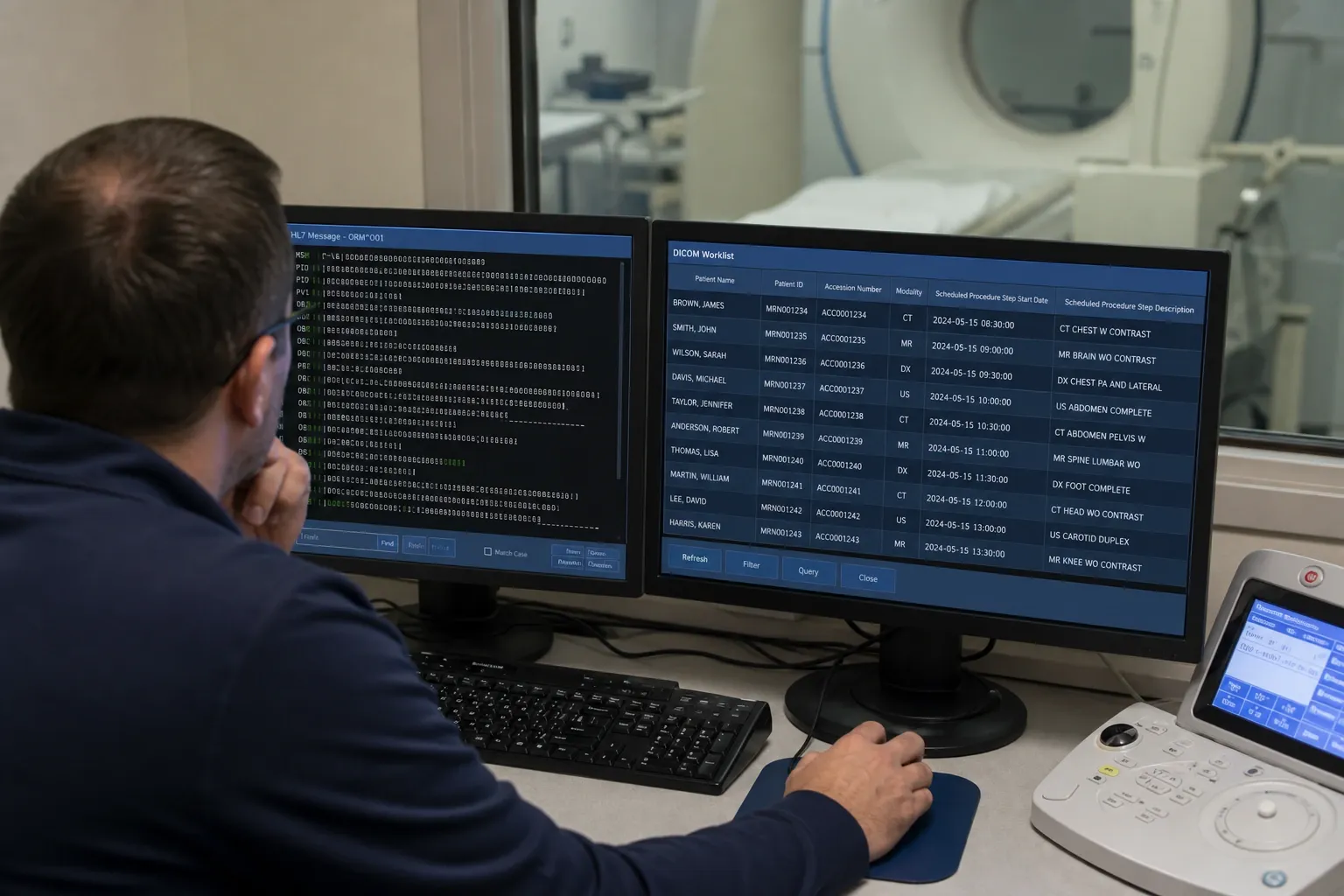
For radiology and laboratory interfaces, the viewer is especially useful when analysts need to trace how a clinical event propagated across multiple systems. An ADT update can explain why an ORU result failed to attach to the right encounter; an ORM order can explain why a modality worklist entry looks incomplete; an ACK can reveal whether the receiving system rejected the message outright or accepted it with downstream business errors. Seeing those structures decoded in one place shortens the time between alert and root cause.
Another practical benefit is preserving a clean separation between message inspection and message transformation. Before teams write or adjust interface engine mappings, they need to confirm what the source system actually sent: repetitions, missing trailing pipes, unexpected encoding characters, local Z-segments, and version-specific field usage. A viewer that exposes the original structure without modifying it gives analysts a trustworthy baseline before they move into scripting, transformation, or vendor escalation work.
Three Analyst Workflows
The classic case is tracing a missing patient ID from a synthetic ADT^A08 update. An EHR reports that a demographic update silently failed to apply; pasting the raw message here decodes PID-3 field by field, immediately showing whether the identifier was empty, malformed, or present in a repetition the receiving system wasn't expecting — turning a vague "the update didn't take" ticket into a specific field and value.
A second common workflow is confirming an ORU result mapping before it reaches a LIS or EHR. Pasting a synthetic ORU^R01 message and reading OBX-3 (the observation identifier) alongside OBX-5 (the value) and OBX-6 (the units) confirms exactly what a reference lab sent, which is the fastest way to settle a dispute between "the lab sent bad data" and "our system mapped it wrong."
A third is comparing an ORM order before and after an interface engine transformation, using the side-by-side view. Pasting the synthetic outbound message on one side and what the receiving system actually logged on the other highlights exactly which field the engine's mapping rule altered — a repetition collapsed, a component reordered, or an encoding character substituted — before escalating to the engine vendor.
When Not to Use This Tool
This viewer decodes HL7 v2.x pipe-delimited messages only; it does not parse FHIR JSON/XML resources — use a dedicated FHIR tool for those. Its segment and field dictionary is based on HL7 v2.5 and v2.7 field definitions, so messages from those versions get the most complete field names and data types; other v2.x releases still parse structurally (the delimiter-driven parsing itself is version-agnostic), but an unusual or version-specific field may show only a generic label rather than a named one. It also focuses on decoding and comparison, not schema validation — it does not check whether required segments or fields are present against a message-type schema. For that layer of checking, pair it with the dedicated HL7 Validator.
ACK Acknowledgment Codes at a Glance
When an interface goes quiet, the ACK the receiving system sent back is usually the fastest place to look. The MSA segment's first field carries one of a small set of codes:
| Code | Meaning | What to check next |
|---|
| AA | Application Accept — message received and processed | Confirm downstream systems reflect the update |
| AE | Application Error — a processing error occurred | Look for an ERR segment describing the specific failure |
| AR | Application Reject — the message was rejected outright | Check the message structure and control ID against what was expected |
The viewer parses ACK messages the same way as any other message type, so the MSA and any accompanying ERR segment decode with named fields rather than raw pipes.
Working Alongside Other HL7 Tools
Viewing is usually the first step of a three-tool chain. Once a message's structure is clear here, run it through the HL7 Validator to check it against a message-type schema for missing required fields, then convert it with HL7 to JSON if the data needs to feed a script, a test harness, or a non-HL7 system. Inspect, validate, convert — the same message moves through all three without ever leaving the browser.