
Introduction: What Is HL7 v2.x and Why It Matters
Health Level Seven version 2.x (HL7 v2.x) is the most widely deployed messaging standard in healthcare information technology. Despite being introduced in the late 1980s, HL7 v2 still carries the vast majority of electronic health data exchanged between hospital systems worldwide. Estimates suggest that over 95% of healthcare organizations in the United States use HL7 v2.x for at least some of their system-to-system communication.
HL7 v2.x enables different healthcare applications — electronic health records (EHRs), laboratory information systems (LIS), radiology information systems (RIS), pharmacy systems, and billing platforms — to exchange clinical and administrative data in a structured, predictable format. When a patient is admitted, a lab result is finalized, or a medication is prescribed, HL7 messages carry that information between systems in near-real time.
Understanding the internal structure of HL7 v2.x messages is essential for integration analysts, clinical informaticists, and healthcare IT engineers who build, maintain, and troubleshoot the interfaces that keep hospitals running. This guide breaks down the anatomy of an HL7 v2.x message from top to bottom: segments, fields, components, delimiters, message types, trigger events, and encoding rules.
Note: This article is intended for educational purposes and does not constitute medical or legal advice. Always follow your organization's policies and applicable regulations when handling healthcare data.
The Hierarchical Anatomy of an HL7 Message
An HL7 v2.x message is a structured block of text organized in a strict hierarchy. Understanding this hierarchy is the key to reading, writing, and debugging HL7 messages effectively.
Messages
At the highest level, a message is a single, complete unit of data exchanged between two systems. Every message begins with a Message Header (MSH) segment and contains one or more additional segments arranged in a defined order. A message represents a single healthcare event — an admission, a lab result, an order — and carries all the data fields relevant to that event.
Segments
A segment is a logical grouping of related data fields. Each segment occupies a single line in the message, begins with a three-character segment identifier (such as MSH, PID, or OBX), and ends with a carriage return character (0x0D). Segments are separated by carriage returns: one segment per line, no exceptions.
Fields
Each segment is divided into fields separated by a field delimiter — the pipe character (|) by default. Fields are numbered sequentially starting from 1 within each segment. For example, PID-3 refers to the third field of the PID segment, which contains the patient identifier list.
Components and Subcomponents
Fields can be further divided into components separated by the component separator (caret ^ by default), and components can be subdivided into subcomponents separated by the subcomponent separator (ampersand & by default). For example, a patient name field might contain Smith^John^M^^Dr, where the components represent last name, first name, middle name, suffix, and prefix respectively.
Repetitions
Some fields allow repetition — multiple values for the same field, separated by the repetition separator (tilde ~ by default). For example, a patient might have multiple phone numbers stored in the same field, each separated by a tilde.
Common Segments and Their Purpose
While the HL7 v2.x standard defines dozens of segments, a handful appear in the majority of messages. Knowing these core segments lets you read and debug most clinical HL7 traffic.
MSH — Message Header
Every HL7 message starts with an MSH segment. It identifies the sending and receiving applications, defines the delimiters used throughout the message, specifies the message type and trigger event, and carries a unique message control ID. Key fields include:
- MSH-1 — Field separator (usually
|; the value is configurable by interface agreement) - MSH-2 — Encoding characters (component, repetition, escape, and subcomponent separators, typically
^~\&) - MSH-3 — Sending application name
- MSH-4 — Sending facility
- MSH-5 — Receiving application name
- MSH-6 — Receiving facility
- MSH-7 — Date/time of message
- MSH-9 — Message type (e.g., ADT^A01 for Admit/Visit Notification)
- MSH-10 — Message control ID (unique identifier for acknowledgments)
- MSH-11 — Processing ID (P for production, T for training, D for debugging)
- MSH-12 — Version ID (e.g., 2.3, 2.5.1)
PID — Patient Identification
The PID segment carries demographic information about the patient. It is present in nearly every clinical message and typically includes:
- PID-3 — Patient identifier list (MRN, national ID, insurance number)
- PID-5 — Patient name (last^first^middle^suffix^prefix)
- PID-7 — Date of birth
- PID-8 — Administrative sex
- PID-11 — Patient address
- PID-13 — Phone number (home)
PV1 — Patient Visit
The PV1 segment describes the current or most recent encounter — whether the patient is an inpatient, outpatient, or emergency department visitor. Important fields include the patient class (PV1-2), assigned patient location (PV1-3), attending doctor (PV1-7), and admission date/time (PV1-44).
OBR — Observation Request
The OBR segment defines a single diagnostic test or procedure order. It contains the placer order number (OBR-2), filler order number (OBR-3), universal service identifier describing the test (OBR-4), observation date/time (OBR-7), and result status (OBR-25). Laboratory, radiology, and pathology messages all use OBR segments.
OBX — Observation Result
The OBX segment carries a single observation or test result. Each OBX line represents one discrete result value. Key fields include the value type (OBX-2), observation identifier (OBX-3), observation value (OBX-5), units (OBX-6), reference range (OBX-7), and abnormal flag (OBX-8). A single lab panel might generate a dozen OBX segments, one for each analyte.
NK1 — Next of Kin
The NK1 segment identifies the patient's emergency contact or next of kin, including name (NK1-2), relationship (NK1-3), address (NK1-4), and phone number (NK1-5). Multiple NK1 segments can appear in a single message if the patient has listed more than one contact.
Delimiters: The Characters That Define the Message
HL7 v2.x uses a set of special delimiter characters to separate the structural elements within a message. These delimiters are defined in the first two fields of the MSH segment, which means they are technically configurable — although in practice nearly every implementation uses the standard defaults.
| Character | Default | Purpose | MSH Position |
|---|---|---|---|
| Field separator | | (pipe) |
Separates fields within a segment | MSH-1 |
| Component separator | ^ (caret) |
Separates components within a field | MSH-2, position 1 |
| Repetition separator | ~ (tilde) |
Separates repeated occurrences of a field | MSH-2, position 2 |
| Escape character | \ (backslash) |
Introduces escape sequences | MSH-2, position 3 |
| Subcomponent separator | & (ampersand) |
Separates subcomponents within a component | MSH-2, position 4 |
The escape character allows delimiter characters to appear in data values. For example, \F\ represents a literal pipe, \S\ represents a literal caret, \T\ represents a literal ampersand, \R\ represents a literal tilde, and \E\ represents a literal backslash. When you see garbled data in OBX segments, escaped delimiters are often the cause — use our HL7 message viewer to decode these sequences automatically.
Message Types and Trigger Events
Every HL7 message is classified by a message type and a trigger event, specified together in MSH-9. The message type identifies the broad category of data exchange, while the trigger event identifies the specific healthcare event that caused the message to be generated.
Common Message Types
- ADT (Admit, Discharge, Transfer) — Patient registration and movement events. The most common message type in most hospitals.
- ORM (Order Message) — Clinical orders for labs, radiology, medications, and procedures.
- ORU (Observation Result Unsolicited) — Lab results, radiology reports, and other diagnostic findings sent from ancillary systems to the EHR.
- SIU (Scheduling Information Unsolicited) — Appointment creation, modification, and cancellation.
- MDM (Medical Document Management) — Clinical document notifications such as transcription results or discharge summaries.
- RDE (Pharmacy/Treatment Encoded Order) — Medication orders transmitted to pharmacy systems.
- DFT (Detail Financial Transaction) — Charge capture and billing data from clinical systems to the financial system.
Common Trigger Events
Trigger events are identified by a letter-number code appended to the message type. Some of the most frequently encountered trigger events include:
- A01 — Admit/Visit Notification. Generated when a patient is formally admitted to an inpatient unit.
- A02 — Transfer. Generated when a patient moves from one nursing unit to another.
- A03 — Discharge/End Visit. Generated when a patient is discharged from an inpatient stay or ends an outpatient visit.
- A04 — Register a Patient. Generated for outpatient and emergency department registrations.
- A08 — Update Patient Information. Generated when demographic data changes (address, phone, insurance).
- A31 — Update Person Information. Similar to A08 but focused on person-level (not visit-level) data.
- O01 — Order Message. Used with ORM to transmit clinical orders.
- R01 — Unsolicited Observation Result. Used with ORU to transmit lab and diagnostic results.
A complete ADT^A01 message, for example, might contain MSH, EVN, PID, PV1, NK1, and insurance segments — everything the receiving system needs to register the admission and begin the clinical workflow.
Encoding Rules: Required Fields, Optionality, and Null Values
The HL7 v2.x standard defines optionality rules for every field in every segment. Understanding these rules is critical for building interfaces that pass validation and for debugging messages that fail.
Optionality Codes
- R (Required) — The field must be present and populated in every message that contains this segment. Missing required fields are a common cause of interface rejections.
- O (Optional) — The field may be present or absent at the discretion of the sending system.
- C (Conditional) — The field is required under certain conditions defined in the standard or the implementation guide.
- X (Not used) — The field should not be sent. Receiving systems may ignore it.
- B (Backward compatible) — The field is retained for backward compatibility but has been superseded by another field in later versions.
Null Values vs. Empty Fields
HL7 v2.x distinguishes between an empty field (no data between delimiters: ||) and a null field (explicitly set to null: |""|). An empty field means "I have nothing to say about this field" and the receiving system should keep its current value unchanged. A null field means "I am explicitly clearing this field" and the receiving system should delete or blank out the stored value. This distinction matters enormously in update messages like ADT^A08, where an empty phone number field means "no change" but a null phone number field means "remove the phone number on file."
Repetition and Maximum Length
Fields that support repetition can carry multiple values separated by the tilde (~). The standard defines a maximum repetition count for each field (often unlimited) and a recommended maximum length for each field and component. While many integration engines enforce length limits strictly, others truncate silently — a common source of data loss in production interfaces.
Common Integration Scenarios
HL7 v2.x powers a wide range of clinical and administrative workflows. Here are the most common integration patterns you will encounter in a typical acute-care hospital:
Lab Results Flow (ORU^R01)
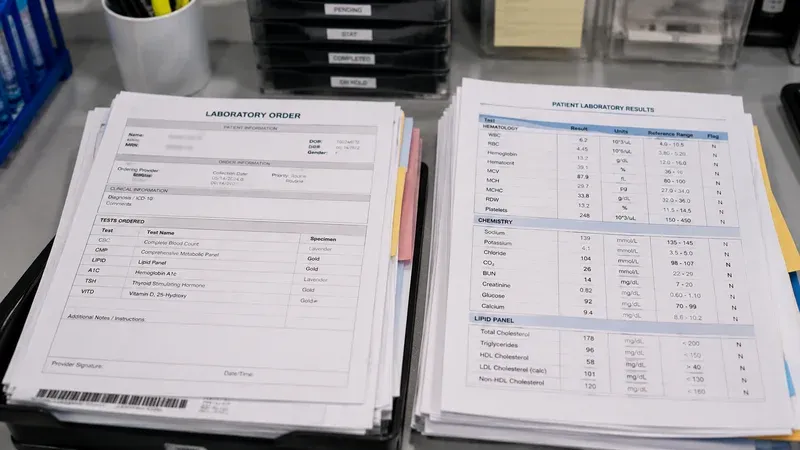
The laboratory information system (LIS) sends an ORU^R01 message to the EHR when a test result is finalized. The message contains MSH, PID, PV1, OBR (describing the test panel), and one or more OBX segments (one per result analyte). The EHR parses the message, matches the patient, and displays the results in the patient chart. This is one of the highest-volume message types in most hospitals, generating thousands of messages per day.
ADT Notifications (ADT^A01, A02, A03, A04, A08)
The EHR or registration system broadcasts ADT messages to downstream systems whenever a patient is admitted, transferred, discharged, registered, or updated. Pharmacy, dietary, lab, radiology, and billing systems all subscribe to the ADT feed to keep their patient census current. A single admission event can trigger a cascade of ADT messages to dozens of receiving systems.
Order Entry (ORM^O01)
When a physician enters an order for a lab test, radiology study, or medication, the EHR sends an ORM^O01 message to the appropriate ancillary system. The message contains the patient identification, the order details in OBR segments, and any relevant clinical information in OBX segments. The ancillary system processes the order and eventually returns a result via ORU^R01.
Radiology Workflow
Radiology integrations typically involve a chain of HL7 messages: ORM^O01 from the EHR to the RIS (order), SIU messages for scheduling the exam, ORM status updates as the patient is prepped, and finally ORU^R01 from the RIS back to the EHR with the radiologist's report. DICOM images flow separately via the PACS network, but the metadata coordination is all HL7.
Troubleshooting HL7 Messages
When an HL7 interface fails or produces unexpected results, systematic troubleshooting is essential. Here are the most common issues and how to diagnose them:
Common Parsing Errors
Parsing errors often stem from unexpected characters in data fields. A pipe character in a free-text OBX value, a caret in a patient name, or a carriage return inside an observation field can cause the parser to split the message incorrectly. The fix is proper escape sequences: \F\ for pipe, \S\ for caret, \.br\ for line breaks within fields.
Segment Order Issues
The HL7 standard defines an expected order for segments within each message type. While some integration engines are lenient about segment order, others reject messages where segments appear out of sequence. A common issue is placing OBX segments before their parent OBR segment, or omitting the EVN segment that some receiving systems require in ADT messages.
Character Encoding Problems
Character encoding mismatches between sending and receiving systems are a frequent source of data corruption. When a system sends UTF-8 encoded text (with accented characters, special symbols, or non-Latin scripts) to a receiver expecting ASCII or ISO-8859-1, characters may appear garbled or cause parsing failures entirely. Check MSH-18 (Character Set) to verify both sides agree on encoding.
How Our HL7 Viewer Helps
Debugging HL7 messages by reading raw pipe-delimited text is tedious and error-prone. Our free HL7 message viewer parses any HL7 v2.x message and displays it as a structured, color-coded breakdown of segments, fields, and components. You can paste a raw message, instantly see every field labeled with its official name and position, identify escape sequences, and compare two messages side by side to find differences. All processing happens entirely in your browser — no patient data ever leaves your machine.
Conclusion
HL7 v2.x remains the backbone of healthcare data exchange in hospitals and health systems around the world. Mastering its structure — the hierarchy of messages, segments, fields, components, and subcomponents — is a foundational skill for anyone working in clinical informatics or healthcare IT integration. Whether you are building a new interface, debugging a production issue, or validating data integrity during a system migration, a solid understanding of HL7 message anatomy will save you significant time and frustration.
For hands-on practice, paste any HL7 v2.x message into our free HL7 message viewer to see its structure broken down field by field. It is the fastest way to learn how real messages are put together — and the quickest way to find what went wrong when they are not.
Disclaimer: This article is provided for informational and educational purposes only. It does not replace official HL7 International specifications, implementation guides, or institutional policies for handling healthcare data.