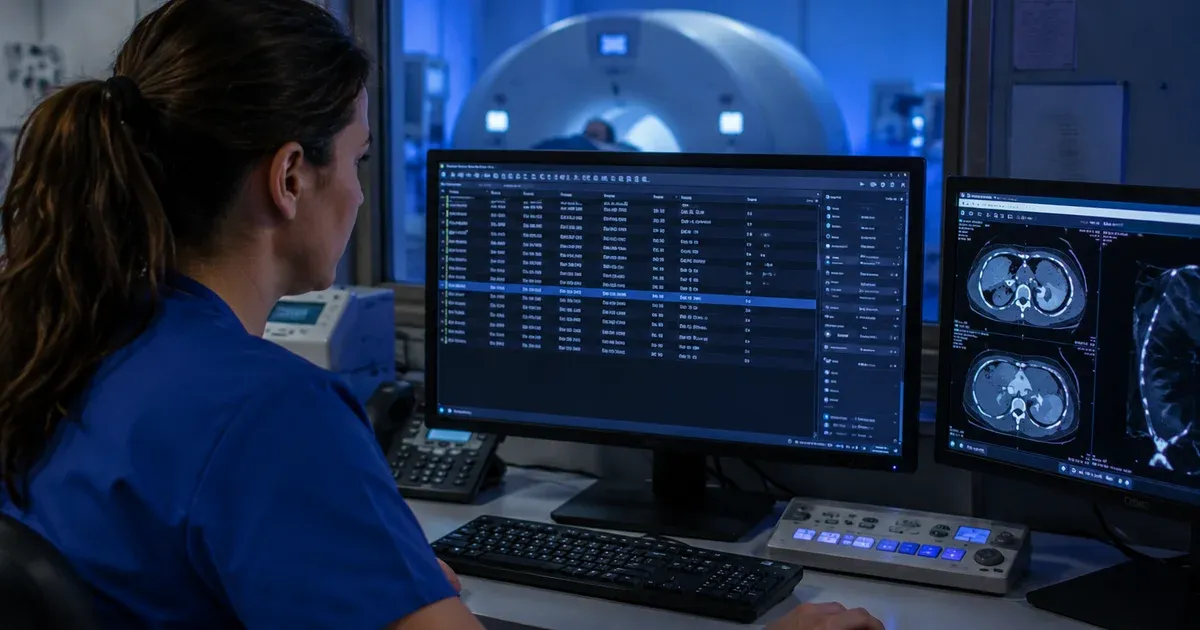
Introduction: HL7 Is the Backbone of Radiology Communication
In every hospital imaging department, the journey of a radiology exam — from the moment a physician orders a CT scan to the second the radiologist signs a report — is orchestrated by HL7 v2.x messages. These messages connect the ordering system (usually an EHR or CPOE), the Radiology Information System (RIS), the modality (CT, MRI, X-ray), the PACS archive, and the reporting platform. Without HL7 integration, technologists would re-type patient demographics at every workstation, orders would be lost between systems, and results would never make it back to the referring physician's inbox.
This article explains the two HL7 message types that dominate radiology workflows — ORM^O01 (General Order Message) and ORU^R01 (Observation Result) — and how they interact with the DICOM Modality Worklist to keep imaging departments running efficiently. Whether you are an integration analyst building a new RIS interface or a radiology IT engineer troubleshooting missing orders, this guide gives you the technical grounding you need.
Note: This article is for educational purposes. Always follow your organization's policies and applicable regulations when handling healthcare data.
The Radiology Order-to-Result Workflow
Before diving into message structure, it helps to understand the end-to-end workflow that HL7 messages support in radiology:
- Order Placement: A physician enters a radiology order in the EHR (e.g., "CT Abdomen with Contrast"). The EHR sends an ORM^O01 message to the RIS.
- Order Acknowledgment: The RIS validates the order and replies with an ACK message (AA = accepted, AE = error). The order appears on the radiology worklist.
- Modality Worklist Query: When the patient arrives in the imaging suite, the CT scanner queries the RIS via DICOM Modality Worklist (MWL) C-FIND. The RIS translates the HL7 order data into DICOM attributes and returns the scheduled procedure step.
- Exam Acquisition: The technologist selects the patient from the worklist, acquires images, and the scanner stores them to PACS via DICOM C-STORE.
- Result Reporting: The radiologist reads the study and dictates a report. The RIS finalizes the report and sends an ORU^R01 message back to the EHR with the result text.
- Result Delivery: The EHR receives the ORU^R01, files the report in the patient chart, and notifies the ordering physician that results are available.
Every step in this chain depends on HL7 messages arriving intact and on time. A single missing field — a wrong accession number, a mismatched patient ID — can break the entire flow.
ORM^O01: The Radiology Order Message
The ORM^O01 (General Order Message, trigger event O01) is the HL7 message type used to place, modify, or cancel radiology orders. Despite its generic name, ORM^O01 is the de facto standard for radiology ordering in most hospital HL7 interfaces.
Key Segments in a Radiology ORM^O01
A typical radiology ORM message contains the following segments:
- MSH (Message Header): Identifies the sending and receiving systems, message type (ORM^O01), timestamp, and encoding characters. The MSH-9 field contains the message type and trigger event.
- PID (Patient Identification): Patient demographics — MRN, name, date of birth, sex, address. The MRN in PID-3 is the primary key that links the order to the correct patient across systems.
- PV1 (Patient Visit): Encounter information — patient class (inpatient, outpatient, emergency), assigned location, attending physician. Radiology scheduling and priority often depend on PV1-2 (patient class).
- ORC (Common Order): Order control information — order number, order status, ordering provider, order date/time. ORC-1 (Order Control) indicates whether this is a new order (NW), modification (XO), or cancellation (CA).
- OBR (Observation Request): The heart of the radiology order. OBR-4 contains the Universal Service Identifier — the procedure code that tells the RIS what exam to schedule (e.g., "CT ABD W CONTRAST"). OBR-15 (Specimen Source) is typically empty for radiology but OBR-16 (Ordering Provider) and OBR-31 (Reason for Study) carry critical clinical data.
Example ORM^O01 for a CT Abdomen Order
MSH|^~\&|EHR|HOSPITAL|RIS|RADIOLOGY|20260412120000||ORM^O01|MSG00001|P|2.5
PID|1||MRN12345^^^HOSP^MR||DOE^JOHN^A||19650715|M|||123 MAIN ST^^CHICAGO^IL^60601
PV1|1|O|RAD^WAITING^01||||SMITH^JANE^M^MD|||RAD||||||||OP|V123456
ORC|NW|ORD98765||GRP001|||||20260412120000|||SMITH^JANE^M^MD
OBR|1|ORD98765||CT-ABD-CON^CT Abdomen w Contrast^LOCAL|||20260412120000|||||||SMITH^JANE^M^MD||ACC12345|||||||||1^Routine||||||||||ABDOMINAL PAIN
In this example, the EHR sends a new order (ORC-1 = NW) for a CT Abdomen with Contrast (OBR-4) on patient John Doe. The accession number ACC12345 is carried in OBR-18 — a field whose official HL7 name is Placer Field 1, used by site convention to hold the accession number — which becomes the key that links the HL7 order to the DICOM study throughout the imaging chain.
Order Modifications and Cancellations
When an order changes — a different exam is needed, or the physician cancels the study — the EHR sends another ORM^O01 with a different ORC-1 (Order Control) value:
- XO (Change Order): Updates an existing order. The RIS matches on the order number (ORC-2) and applies the changes.
- CA (Cancel Order): Cancels the order. The RIS removes it from the worklist if the exam has not yet been performed.
- SC (Status Change): Updates the order status (e.g., from "Scheduled" to "In Progress").
Handling these order control codes correctly is critical. A missed cancellation can lead to an unnecessary exam; a dropped modification can result in the wrong body part being imaged.
The Bridge: HL7 to DICOM Modality Worklist
One of the most misunderstood aspects of radiology integration is the translation layer between HL7 and DICOM. The modality (CT scanner, MRI, X-ray unit) does not speak HL7 — it speaks DICOM. The RIS acts as the translator:
- The RIS receives the ORM^O01 via HL7 and stores the order.
- The modality sends a DICOM Modality Worklist (MWL) C-FIND query to the RIS, asking "What exams are scheduled for this scanner today?"
- The RIS maps HL7 fields to DICOM tags and returns the matching Scheduled Procedure Steps.
Critical HL7-to-DICOM Field Mappings
The following table shows the most important mappings between HL7 ORM segments and DICOM Modality Worklist attributes:
- PID-3 (Patient ID) → DICOM (0010,0020) Patient ID
- PID-5 (Patient Name) → DICOM (0010,0010) Patient's Name
- PID-7 (Date of Birth) → DICOM (0010,0030) Patient's Birth Date
- PID-8 (Sex) → DICOM (0010,0040) Patient's Sex
- OBR-4 (Procedure Code) → DICOM (0032,1060) Requested Procedure Description
- OBR-18 (Placer Field 1 — conventionally carries the accession number) → DICOM (0008,0050) Accession Number
- ORC-2 (Placer Order Number) → DICOM (0040,2016) Placer Order Number
- OBR-27 (Scheduled Date/Time) → DICOM (0040,0002/0003) Scheduled Procedure Step Start Date/Time
When these mappings break — a misformatted patient name, a truncated accession number — the modality either cannot find the patient on the worklist or pulls the wrong order. This is the single most common source of "patient not found on worklist" errors in radiology departments.
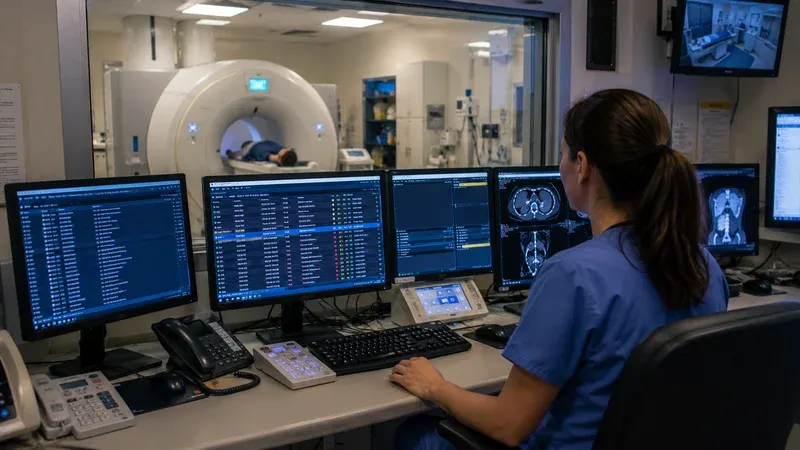
ORU^R01: The Radiology Result Message
After the radiologist reads the study and signs the report, the RIS sends an ORU^R01 (Observation Result, Unsolicited) message back to the EHR. This message carries the diagnostic report text and allows the referring physician to see results in the patient chart.
Key Segments in a Radiology ORU^R01
- MSH: Message header with type ORU^R01.
- PID: Patient identification (must match the original order).
- ORC: Order control with status RE (Results) or SC (Status Change to "Final").
- OBR: The observation request echoing the original order details. OBR-25 (Result Status) indicates if the report is Preliminary (P), Final (F), or Corrected (C).
- OBX (Observation/Result): The actual report content. Each OBX segment carries one piece of the result — typically the report text broken into lines. OBX-2 specifies the value type (TX for text, FT for formatted text), and OBX-5 contains the report line.
Example ORU^R01 for a Completed CT Study
MSH|^~\&|RIS|RADIOLOGY|EHR|HOSPITAL|20260412150000||ORU^R01|MSG00042|P|2.5
PID|1||MRN12345^^^HOSP^MR||DOE^JOHN^A||19650715|M
ORC|RE|ORD98765
OBR|1|ORD98765||CT-ABD-CON^CT Abdomen w Contrast^LOCAL|||20260412120000|||||||SMITH^JANE^M^MD||ACC12345||||||20260412143000|||F
OBX|1|TX|REPORT^Radiology Report||FINDINGS: No acute abnormality. The liver, spleen, pancreas, and adrenal glands are normal.||||||F
OBX|2|TX|REPORT^Radiology Report||The kidneys enhance symmetrically without hydronephrosis or calculi.||||||F
OBX|3|TX|REPORT^Radiology Report||IMPRESSION: Negative CT abdomen with contrast. No evidence of acute pathology.||||||F
Notice that OBR-25 = F (Final) and each OBX carries one line of the radiology report. The accession number ACC12345 in OBR-18 links the result back to the original order and DICOM study.
Preliminary vs Final vs Corrected Reports
The OBR-25 field is critical for downstream workflow:
- P (Preliminary): The radiology resident reads the study overnight. A preliminary ORU^R01 (OBR-25 = P) notifies the ED physician that initial findings are available.
- F (Final): The attending radiologist signs the report the next morning. A final ORU^R01 (OBR-25 = F) replaces the preliminary result in the chart.
- C (Corrected): If an error is discovered after signing, a corrected ORU^R01 (OBR-25 = C) is sent with the amended text. Some EHRs append the correction; others overwrite the original.
Interfaces that fail to handle result status transitions properly can cause dangerous situations — an ED physician acting on a preliminary read that was later contradicted by the final report.
Common Radiology HL7 Interface Problems
Integration analysts working with radiology HL7 interfaces encounter a predictable set of issues. Recognizing them quickly can save hours of troubleshooting:
1. Accession Number Mismatch
The accession number (OBR-18) is the thread that ties the HL7 order to the DICOM study. If the RIS generates a different accession number than what the EHR sent, the result ORU^R01 cannot be matched back to the order. Root causes: auto-generation by RIS when the HL7 field is empty, character encoding issues truncating the value, or order modifications that re-assign numbers.
2. Patient Name Format Differences
HL7 uses caret (^) delimiters for name components: DOE^JOHN^A. DICOM also uses carets but with a different component order convention. When the RIS translates names incorrectly, the modality displays garbled patient names or fails worklist matching entirely.
3. Procedure Code Mapping Failures
The EHR may send CPT codes in OBR-4 while the RIS expects internal procedure codes. A mapping table translates between the two, but unmapped codes cause orders to be rejected or scheduled under the wrong protocol. Maintaining this mapping table is one of the most labor-intensive parts of radiology HL7 integration.
4. Order Status Synchronization
When the EHR cancels an order (ORC-1 = CA) but the RIS has already moved the order to "In Progress," the cancellation may be rejected. Different systems handle order state machines differently, leading to phantom orders that never clear from the worklist.
5. Result Encoding and Special Characters
Radiology reports may contain special characters — degrees (°), plus-minus (±), or superscripts. If the HL7 encoding does not support these characters (MSH-18 Character Set field), they may be corrupted in transit. Using UTF-8 encoding and proper HL7 escape sequences prevents rendering issues in the EHR.
Debugging Radiology HL7 Messages with the HL7 Message Viewer
When troubleshooting radiology interface issues, the first step is always to inspect the raw HL7 message. Our HL7 Message Viewer lets you paste an ORM^O01 or ORU^R01 message and instantly see every segment, field, and component parsed and labeled. This is particularly useful for:
- Verifying that OBR-4 procedure codes match the expected values
- Checking that accession numbers in OBR-18 are present and correctly formatted
- Confirming patient demographics in PID match between order and result messages
- Inspecting OBR-25 result status for proper preliminary/final/corrected transitions
- Comparing two versions of the same order (before and after modification) side by side
All parsing happens locally in your browser — no HL7 message data containing PHI is ever transmitted to a server.
Best Practices for Radiology HL7 Integration
- Map accession numbers bidirectionally: Ensure OBR-18 is filled by the EHR and preserved through the RIS. If the RIS generates its own accession numbers, map them back in the ORU^R01 so the EHR can link results to orders.
- Test with real-world message patterns: Use sample ORM and ORU messages that include edge cases — multi-procedure orders, stat priorities, cancellations followed by re-orders.
- Validate procedure code mappings regularly: As new exams are added to the EHR or RIS, the mapping table must be updated. Schedule quarterly reviews.
- Handle all result statuses: Interfaces must process Preliminary, Final, and Corrected results. Ignoring corrections creates patient safety risks.
- Monitor interface queues: Set up alerts for backed-up HL7 queues. A stalled radiology interface means orders are not reaching the RIS and results are not returning to the EHR.
- Document the HL7-to-DICOM mapping: Keep a living document that maps every HL7 field to its corresponding DICOM tag. This is invaluable when onboarding new modalities or migrating RIS platforms.
Conclusion
HL7 v2.x remains the primary messaging standard connecting EHRs, RIS platforms, modalities, and PACS archives in radiology departments worldwide. Understanding ORM^O01 orders, ORU^R01 results, and the HL7-to-DICOM translation layer is essential for anyone building or maintaining radiology interfaces. The accession number is the golden thread — protect it at all costs. When messages misbehave, parsing them field by field with the HL7 Message Viewer is the fastest path to a fix.